PREPAREDNESS STARTS WITH YOU

A little preparation.
A lot more peace of mind.

Be ready for the unexpected. Your pocket companion for disaster preparedness in the Philippines—with offline guides and practical tools to help you plan ahead.

ANDROID APK · 4.18 MB · DIRECT DOWNLOAD

Made for everyday readiness.
Built with Filipino communities in mind.

A little more ready.One step at a time.

Illustrative app preview · Not an actual screenshot

LEARN TODAY. PREPARE FOR TOMORROW.Explore PakoReady
Offline disaster guides Practical preparation tools Designed for the Philippines

YOUR EVERYDAY PREPAREDNESS TOOLKIT

More prepared.
Less overwhelmed.

Six simple tools. One place to start.
Build your knowledge and make preparation
part of everyday life.

01

Offline disaster guides

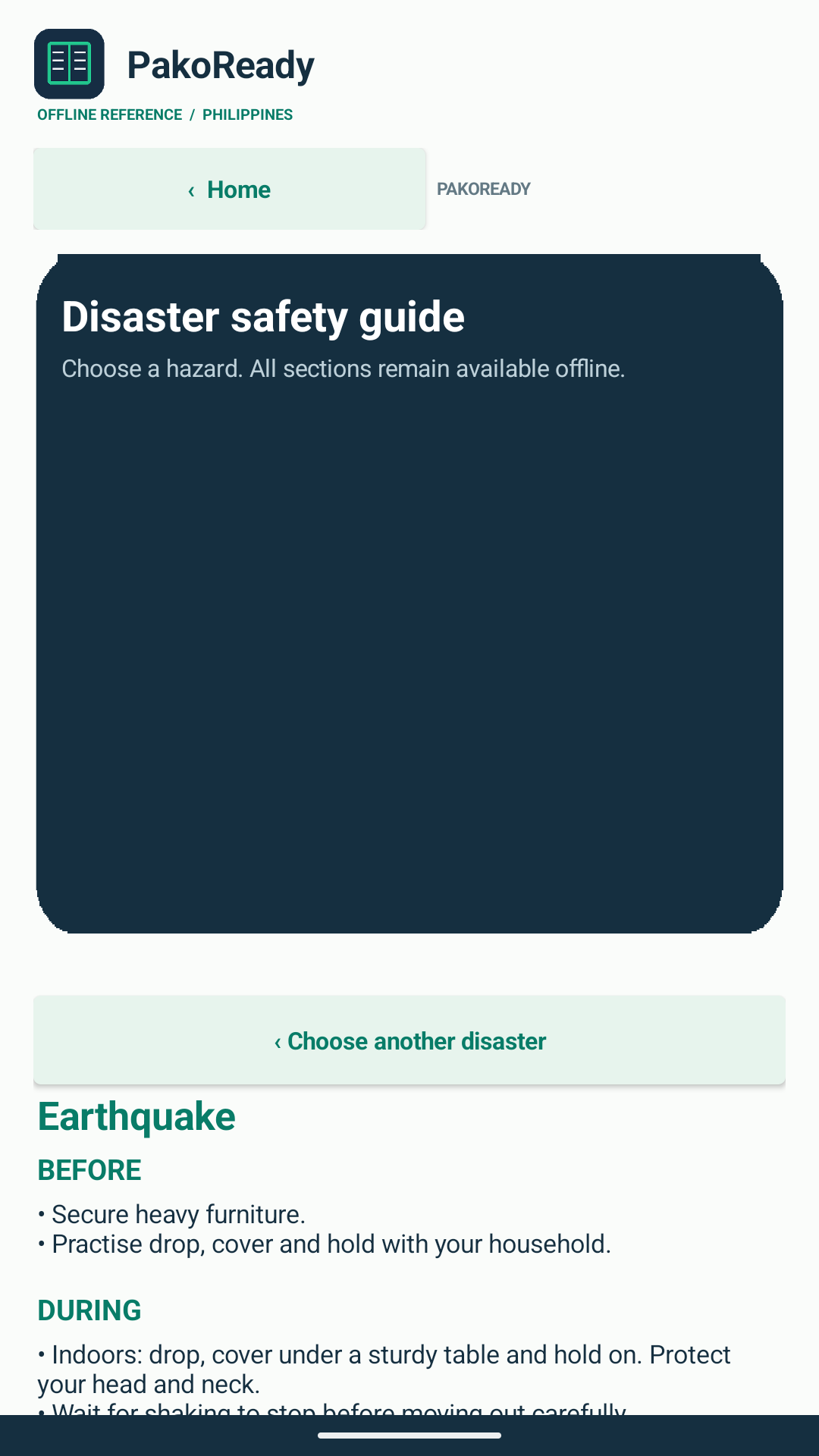
Learn about five disaster types with reference guides you can read without an internet connection.

Explore the topics
02

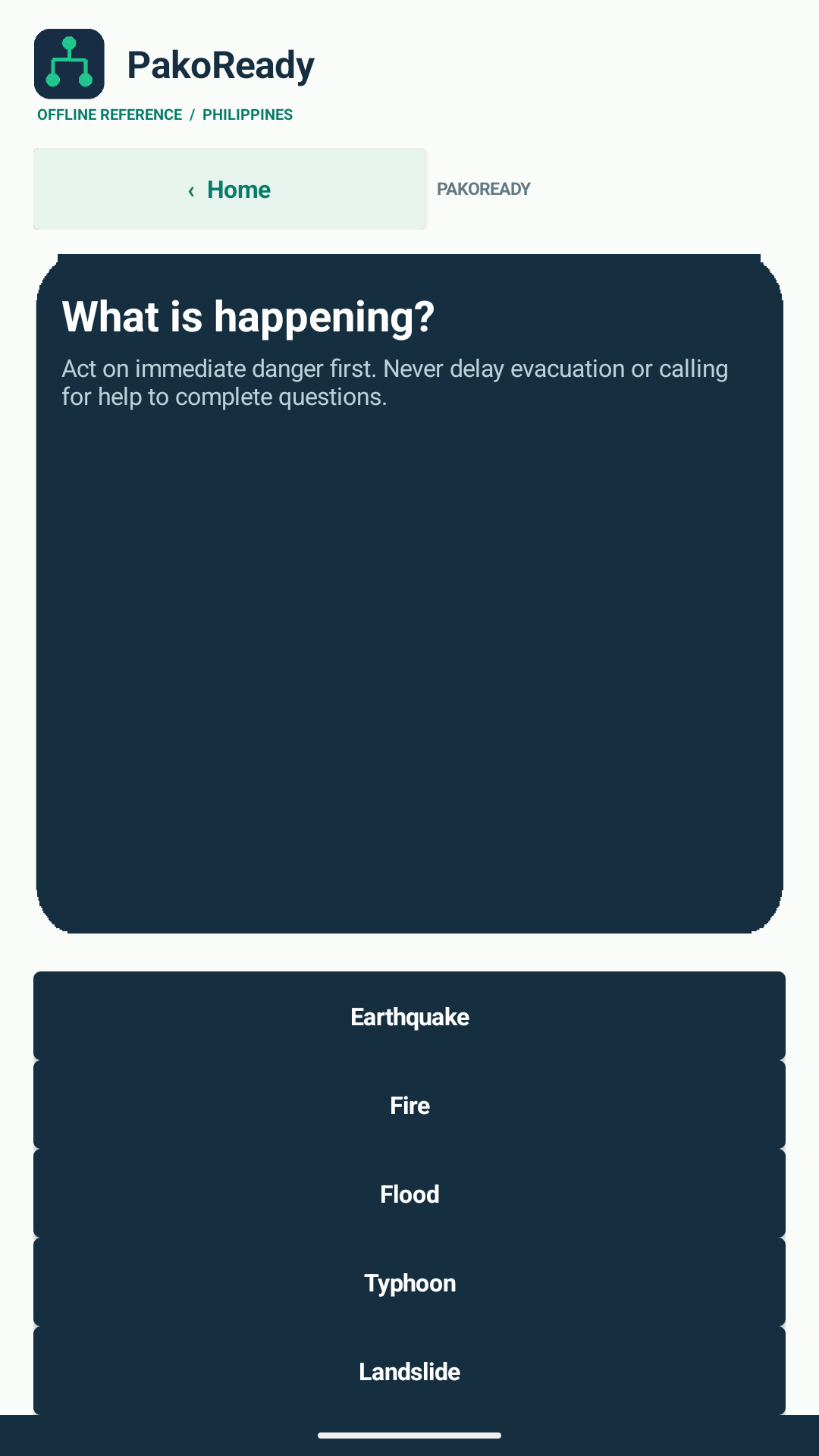
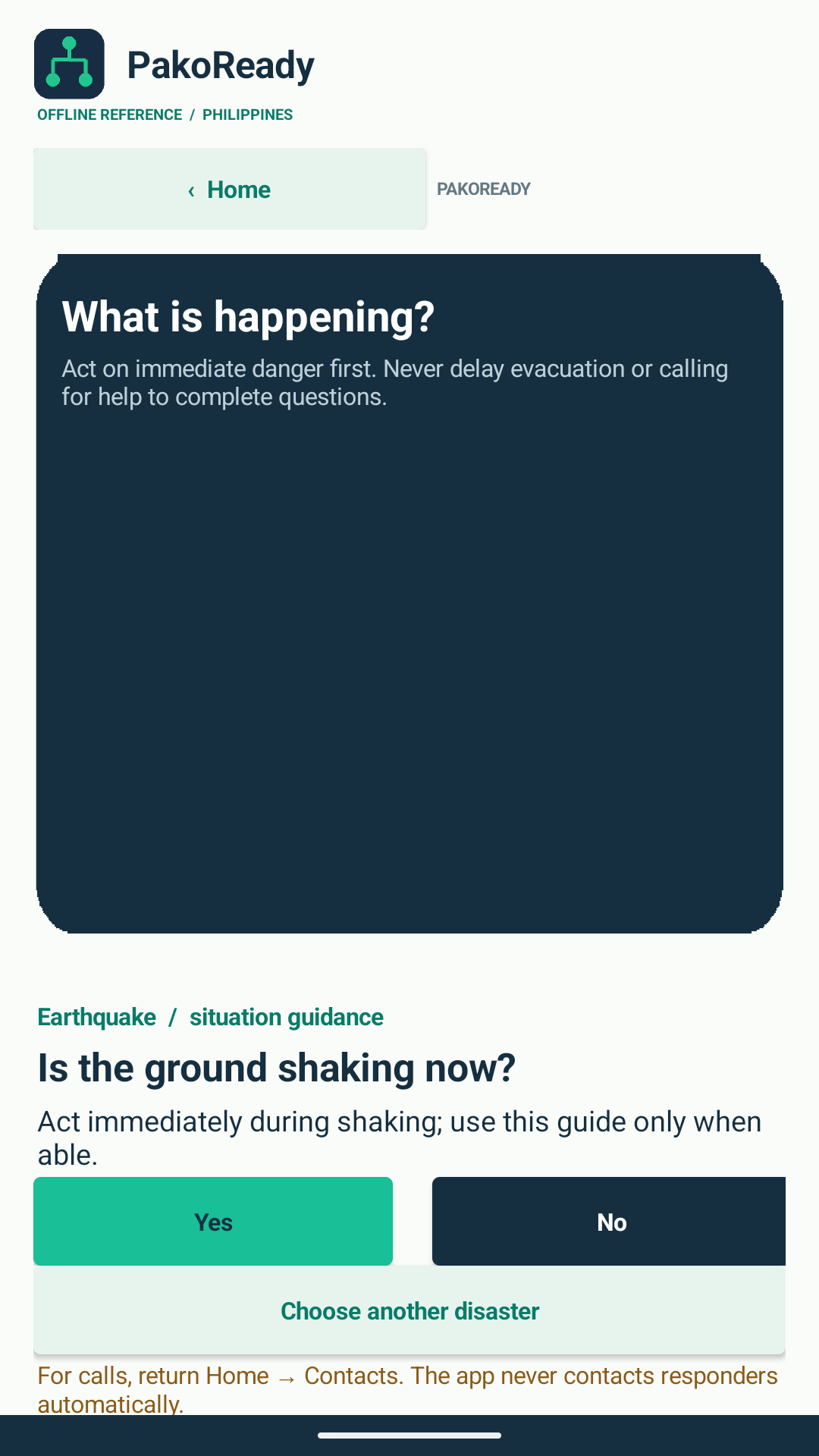
A guide through questions

Explore question-based guidance to understand preparedness choices. It cannot assess your live situation.

03

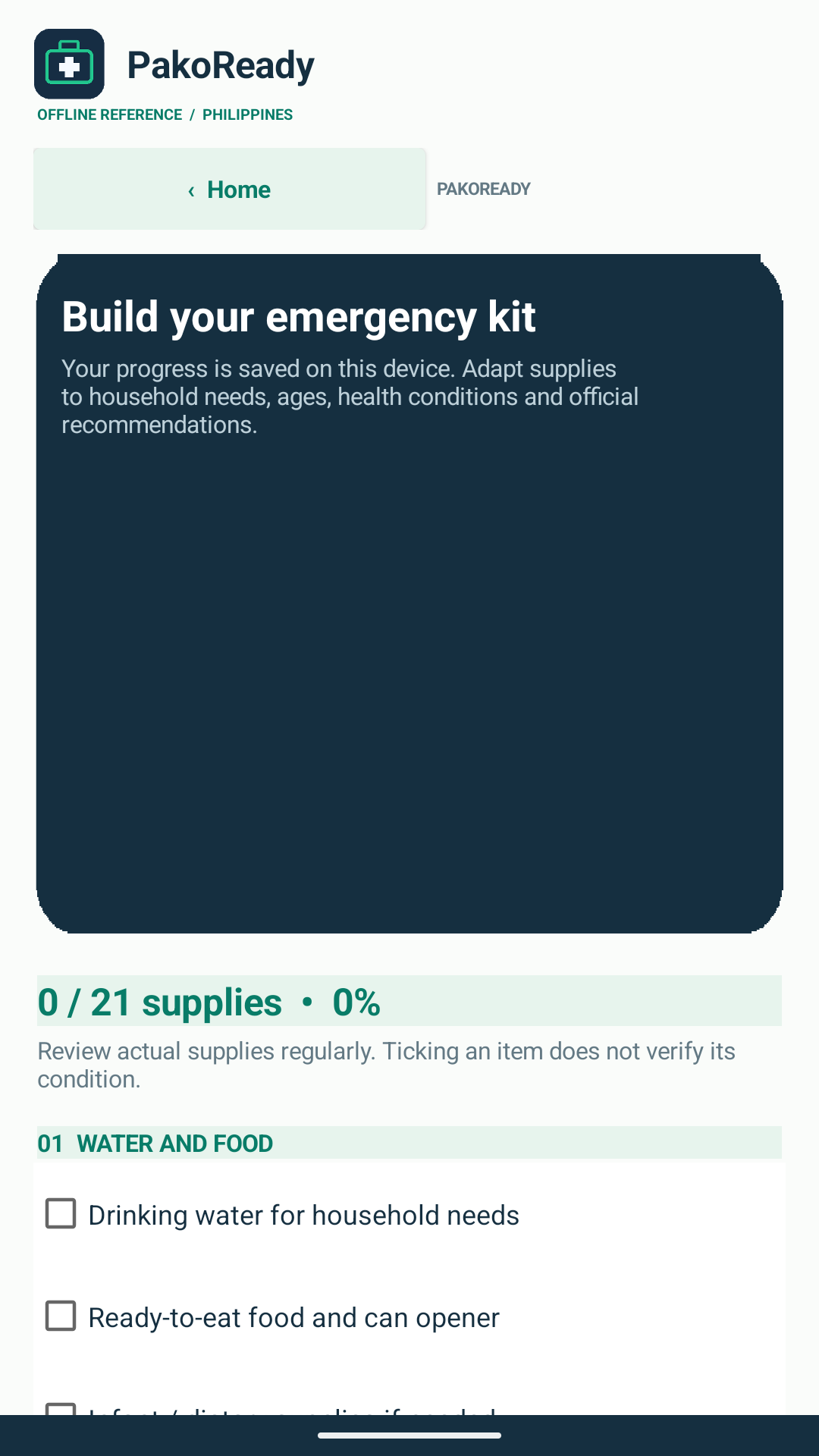
Your emergency kit, organized

Check off supplies and save your checklist, so you can keep track of what you have prepared.

04

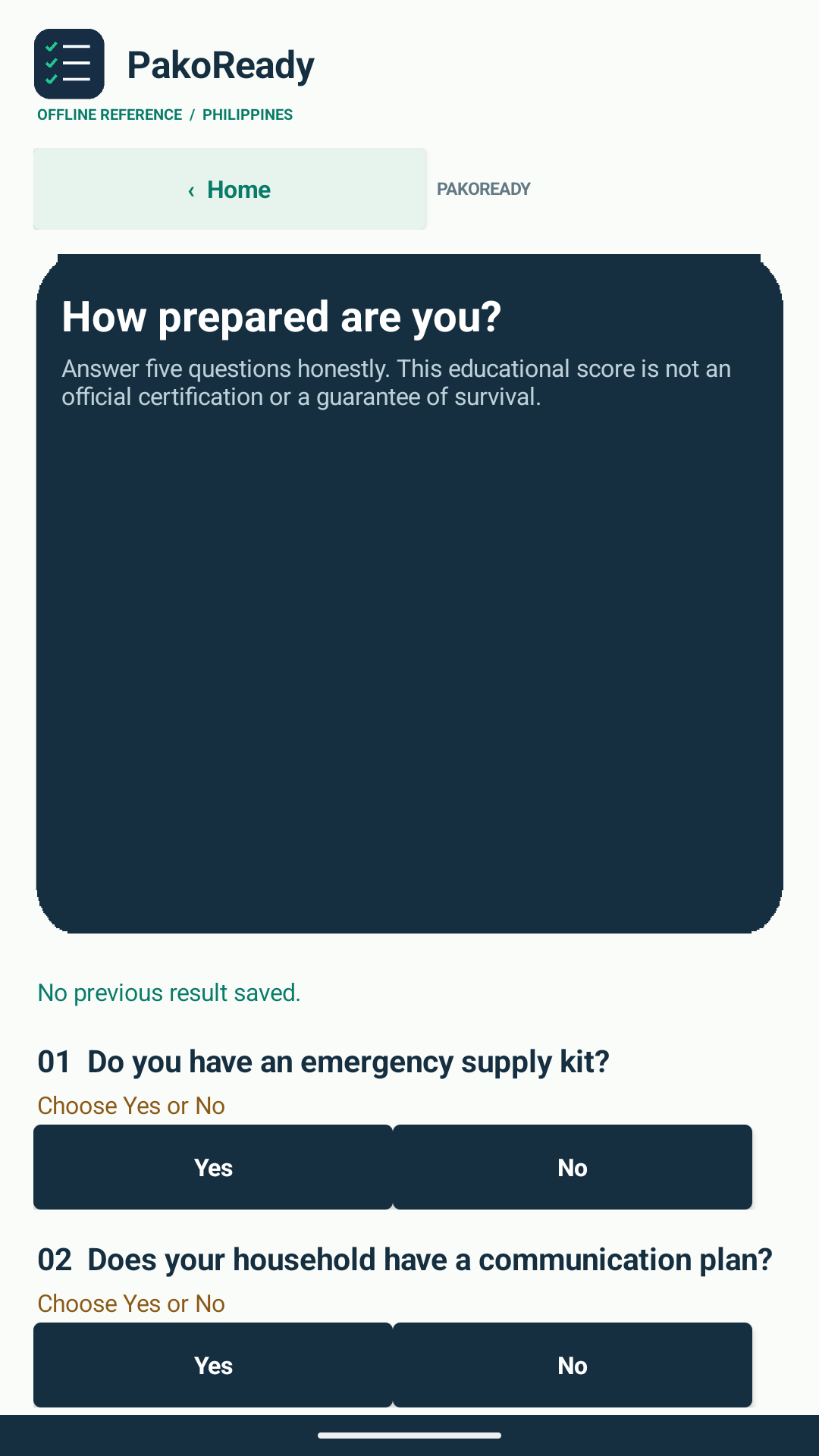
A readiness check-in

Take a preparedness assessment and reflect on the areas of your preparation that need attention.

05

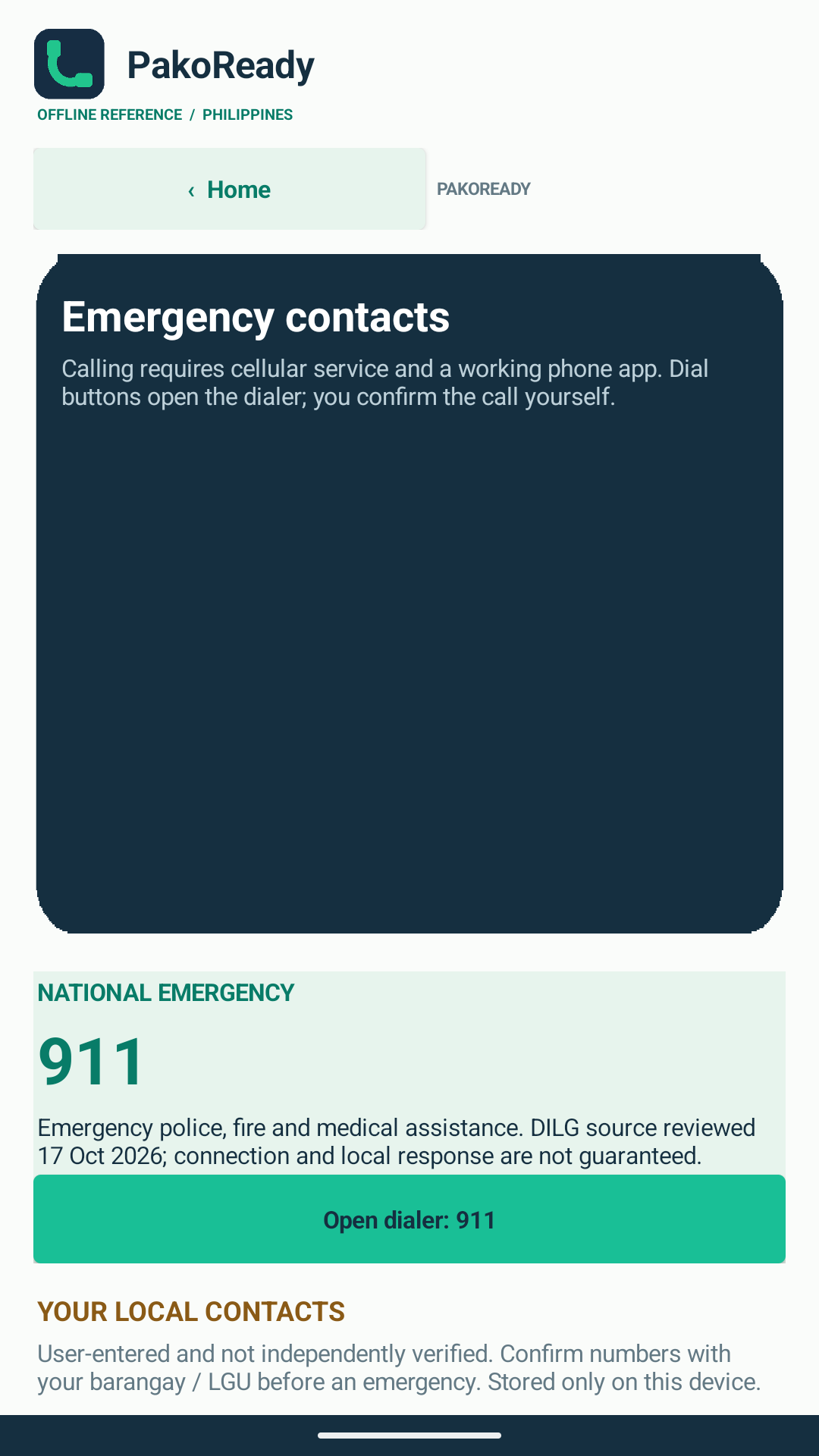
Important contacts, together

Save emergency contacts for reference. Calling for help is an action you take yourself.

06

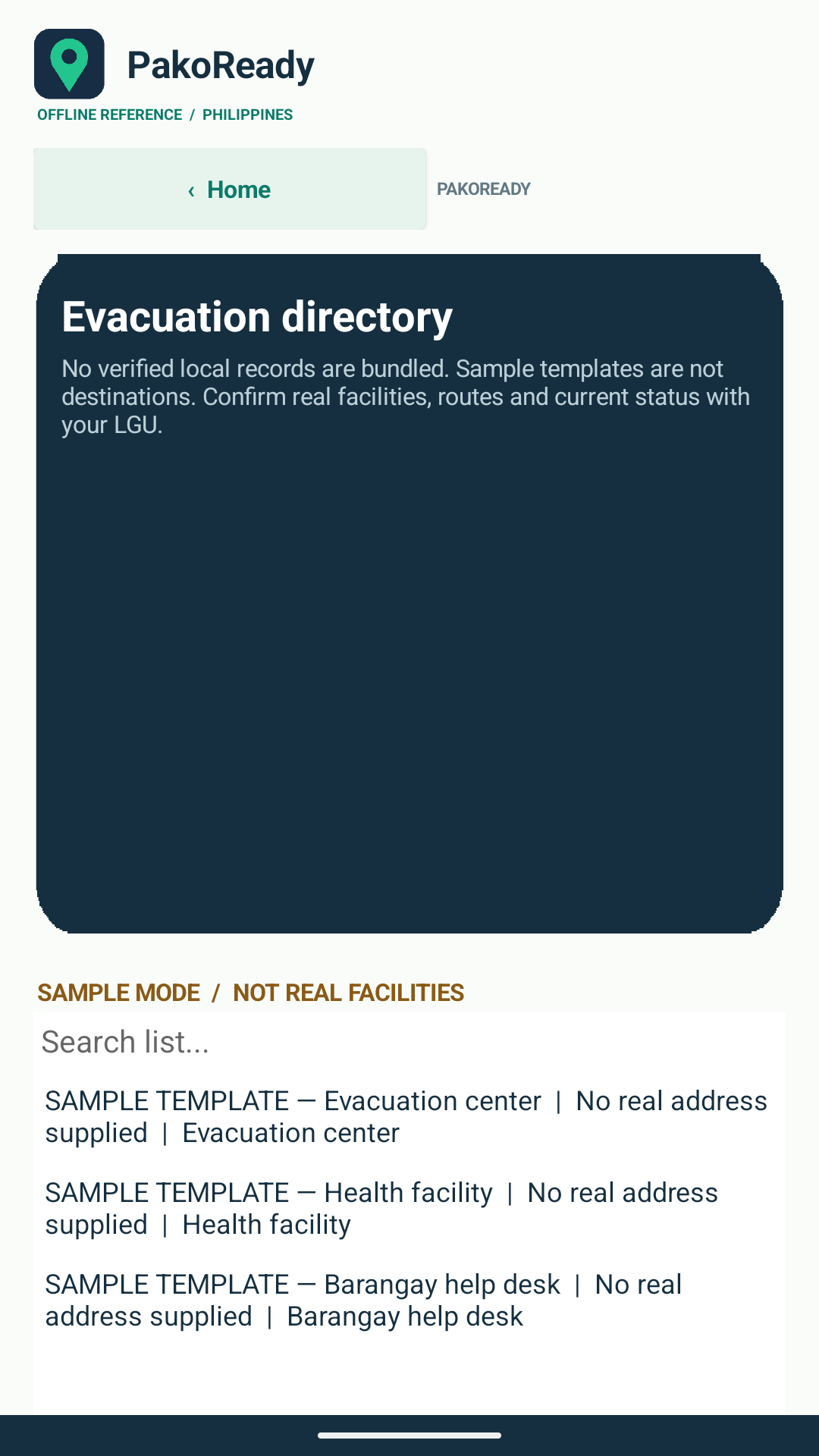
Evacuation directory

Explore a directory format for planning. Included records are sample templates, not verified facilities.

SAMPLE RECORDS ONLY

KNOW THE BASICS. BUILD YOUR CONFIDENCE.

Different disasters.
The same first step: prepare.

Explore the five topics covered in PakoReady’s offline guides.

LEARN BEFORE YOU NEED IT

OFFLINE REFERENCE GUIDE

Earthquake preparedness

Make earthquake preparedness part of your household plan. Explore preparation, protective actions, and what to consider after shaking stops.

BeforeDuringAfter

Each guide also covers actions to avoid, when to seek help, and reference sources.

Explore the full guide in the app

For education and planning. Always follow current official evacuation instructions and emergency responders.

SMALL STEPS. REAL PREPARATION.

Your ready starts here.

A few minutes today can help you make a plan for tomorrow.

01

Get PakoReady

Download the Android APK and follow the installation steps below.

02

Know your next steps

Explore the offline guides and reflect on your preparedness with an assessment.

03

Make it personal

Check your supplies, save important contacts, and discuss a plan with your household.

YOUR POCKET PREPAREDNESS COMPANION

A little more ready.
Starting today.

Keep learning and planning within reach.
Download PakoReady for your Android device.

Download Android APK APK FILE · 4.18 MB · ANDROID ONLY

INSTALLING THE APK

A few simple steps

  1. Download the file

    On your Android device, download PakoReady_Buttons_Fixed.apk from this page.

  2. Allow this installation, if prompted

    In Android Settings, allow “Install unknown apps” for the browser or file manager you used. Wording varies by device. Only proceed if you trust the file’s source.

  3. Install and open PakoReady

    Open the downloaded APK, tap Install, then Open. You can turn off that installation permission afterward.

A direct APK download, installed outside the Play Store. Your device or administrator may restrict installation.

CURRENT ANDROID DOWNLOAD

Know what you’re installing.

PakoReady · Version 1.0 · Updated 5 November 2026 · 4.18 MB

PakoReady_Buttons_Fixed.apk

This button-fix release uses a different Android package from the earlier download. It may appear as a separate app. Saved checklist, assessment, contacts and directory data do not transfer automatically; keep your previous app until you have copied anything you need.

Download details

Android APK · Direct installation

Package: appinventor.ai_neiladame0.PakoReady_Buttons_Fixed

File integrity (SHA-256)E1B3481B8F361BC8A5F143540E4C1A7D3FCCBBF30AAD7CD35DA4B853126E4788

The signature was verified and the download matches the supplied replacement file. The checksum identifies this file.

Release metadata · Read the privacy policy

A LITTLE MORE CLARITY

Good questions.
Clear answers.

Know what to expect
before you get started.

Can I use PakoReady without internet?

The disaster guides are available offline. PakoReady is an educational reference app and does not provide a live alert or hazard feed. Check current official updates separately.

Does the app send emergency alerts or call for help?

No. PakoReady does not provide live alerts, assess live hazards, dispatch help, automatically call, or send your location. You must contact emergency services yourself and share your location when needed. Follow official instructions and responders.

Are the evacuation facilities verified?

No. The included directory records are sample templates, not actual verified facilities. Confirm evacuation locations and routes with your barangay or local government, and follow official evacuation instructions.

Is this an actual screenshot of the app?

The phone shown on this website is a clearly labeled illustrative preview, not an actual screenshot. It uses the original logo and icons extracted from the supplied APK. The app’s actual layout may differ.

Can I install it on an iPhone?

The supplied download is an Android APK. It cannot be installed on an iPhone or iPad. This page does not offer an iOS version.

Why does Android ask to allow this installation?

APKs downloaded directly from a website are installed outside the Play Store. Android may ask you to allow installation from your browser or file manager. Review the source before proceeding; you can disable the permission after installation.

How do I delete my saved information?

Reset the kit checklist, clear local contacts, or remove individual directory records inside the app. To remove all local records, including the saved assessment, open Android Settings → Apps → PakoReady → Storage → Clear storage/data. Android wording varies. This cannot be undone. Device backups are controlled separately by Android and your backup provider. Read about retention and deletion.

Will this replace my earlier PakoReady installation?

The checked and fixed APK has a different package name, so Android may install it alongside the earlier app. Data is stored separately and is not automatically transferred. Copy important planning details before removing the earlier app.

YOUR INFORMATION, EXPLAINED

Preparedness stays personal.

Understand what you save and what happens when you open another app.

Saved on your device

Your checklist, assessment, three local contacts and directory entries use local app storage. No account is required.

You choose external actions

Opening a dialer shares the selected number with that app. Confirmed map searches share the selected public address. Those services follow their own privacy practices.

You control saved data

Use the in-app reset and removal controls, or clear PakoReady’s app storage in Android Settings to delete all local records.

APP ASSETS & INFORMATION

A closer look at PakoReady.

Actual screens captured from the current button-fix Android release.
PakoReady feature graphic: A little preparation. A lot more peace of mind.

PakoReady · Educational Android app · Version 1.0

Offline disaster guides and practical household preparedness tools. Read five hazard guides, explore question-based guidance, track kit supplies, take a readiness assessment, save contacts and maintain local directory entries.

Data is saved on your device. External maps, dialer and source pages open on your action. Directory templates are not verified facilities.

Direct APK distribution. Play Store publication has not been verified. Read draft store listing · App icon · Feature graphic
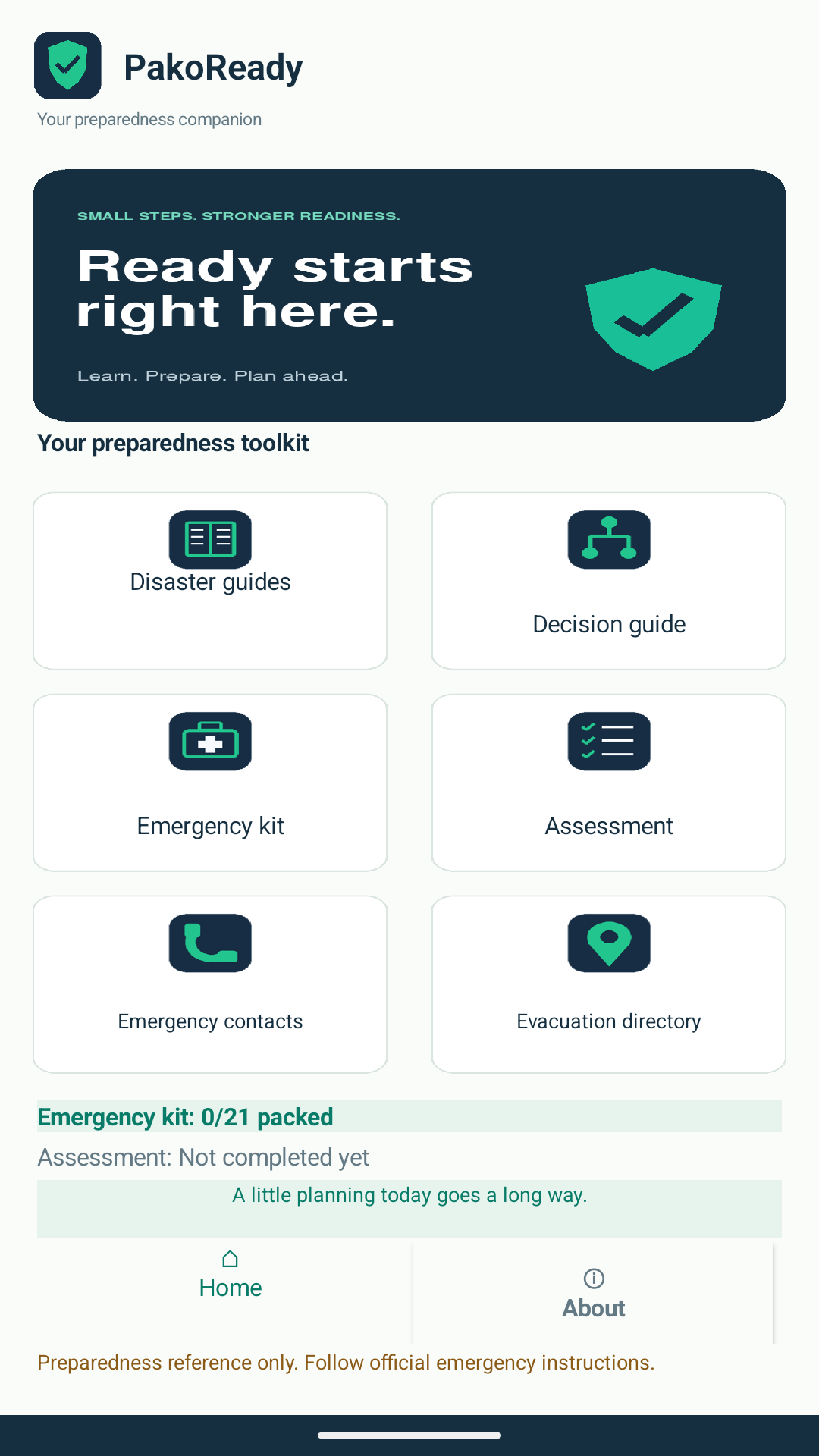
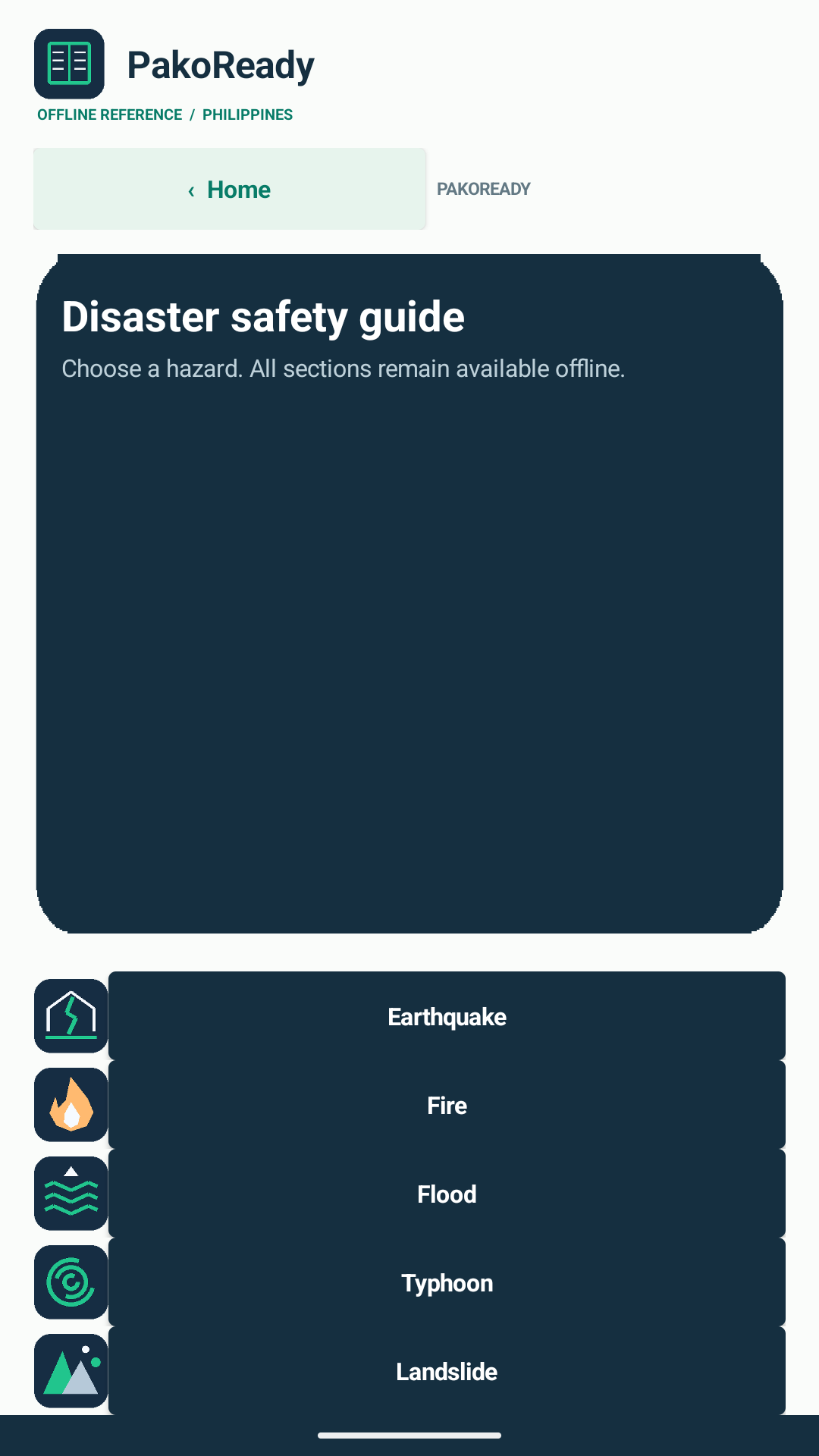
Open standalone page

Product Requirement Document

PakoReady · Version 1.0 · 5 November 2026 · Neil Anthony Adame

1. Product overview

PakoReady: Offline Emergency Decision and Response Guide is an Android educational preparedness application for students, households and communities in the Philippines. It combines offline reference guides for earthquakes, fires, floods, typhoons and landslides with a question-based decision guide, emergency kit checklist, preparedness assessment, emergency contacts and a local evacuation directory. The companion webpage introduces the application, provides the APK and installation instructions, and exposes these requirements through Help dialogs.

2. Problem and intended users

Preparedness information and household planning details can be scattered or unavailable when connectivity is limited. PakoReady places reference information and personal planning tools on one device. Primary users are Filipino students and household members. The developer maintains the content and release files; there is no separate administrator account or remote management console.

3. Goals and scope

Enable users to read five hazard guides offline, organize 21 listed kit supplies, assess five preparedness questions, retain three local contacts, and maintain local facility records. Provide clear navigation and explain the limits of educational guidance. Live alerts, live hazard assessment, responder dispatch, automatic calling, location transmission, verified facility availability, iOS delivery and cloud synchronization are outside this release.

4. Functional requirements

PR-01 — Home shall provide access to Safety guides, Decision guide, Emergency kit, Contacts, Preparedness, Evacuation, and About & safety information. Each module shall provide Back / Home navigation.

PR-02 — Safety guides shall cover all five hazards and organize content into before, during, after, actions to avoid, seeking help and sources. Bundled guide text shall remain available without internet.

PR-03 — Decision guide shall accept a hazard selection and Yes/No answers, display the corresponding educational guidance, and allow restarting. It shall tell users to act on immediate danger and follow current official instructions.

PR-04 — Emergency kit shall show 21 selectable supplies, progress, remaining needs, a mark-all action and a confirmed reset. Individual checklist states shall survive closing and reopening the application.

PR-05 — Preparedness shall require answers to all five questions before scoring, display the score and recommendations, retain the latest result, and allow a retake. Scores shall be described as self-reported education, not certification.

PR-06 — Contacts shall provide a user-initiated dialer action for the displayed emergency number and three editable local contacts. Names and numbers (3–15 digits, optional leading plus and ordinary formatting) shall be validated before saving; clearing saved contacts shall require confirmation. Opening a dialer shall not place a call automatically.

PR-07 — Evacuation shall distinguish sample templates from user-entered records, support searching and selecting entries, and permit adding and removing local records. Map search shall be a user action using the selected public address. No record shall be represented as proof of current operating or safety status.

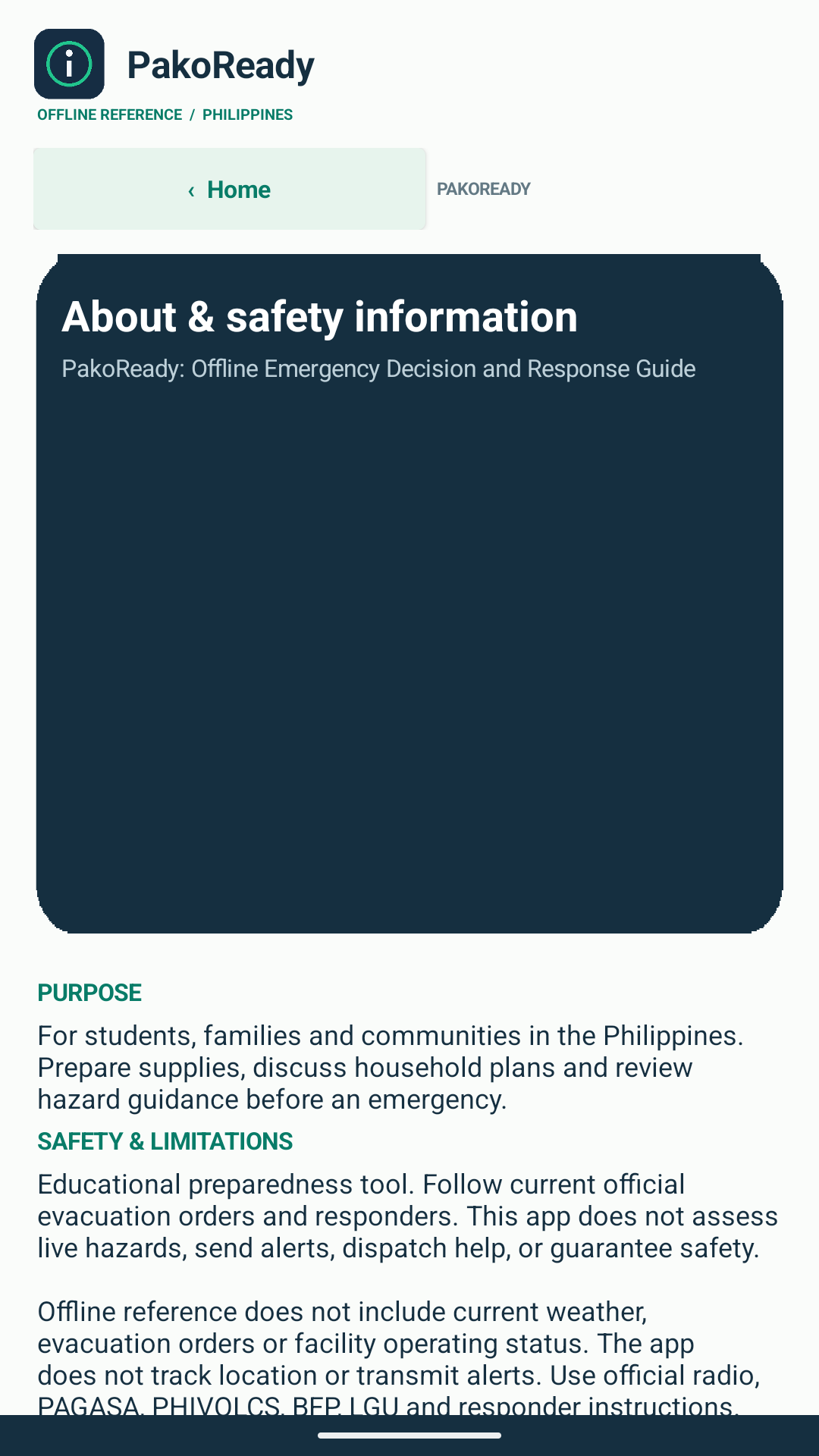
PR-08 — About shall explain purpose, offline limitations, local data and reference links. The website Help menu shall open PRD and TRD in labeled, scrollable popup dialogs and provide standalone document links.

5. User journeys

A new user visits the landing page, reads the installation instructions, downloads the APK and opens Home. The user reviews a hazard guide, marks available kit supplies, saves a household contact and takes the assessment. Later the user reopens the app to review retained planning data. External calls, maps and reference pages require the appropriate device applications and connectivity.

6. Quality and acceptance criteria

Acceptance requires all five guide topics to open with connectivity disabled; kit ticks, contacts, directory records and the latest assessment to persist after restart; incomplete assessment answers and invalid contacts to be rejected; and sample records to remain visibly identified. Website acceptance requires both Help documents to open, scroll, close with the close button or Escape, restore focus, and remain usable on narrow screens. These are acceptance requirements; the verification record identifies which checks have actually been performed.

7. Content, privacy and release criteria

Guide changes require review against the cited authoritative source material and a new APK build. Personal planning entries remain in device-local TinyDB storage; clearing application data or uninstalling can remove them. A submission release needs the proposal PDF, source AIA, APK, listing assets, full webpage screenshot, public landing-page URL and public shared asset-folder URL. A signed release AAB and genuine screen captures are release evidence, not features that can be assumed from a draft document.

8. Success measures and dependencies

Release targets are five accessible guide topics, seven reachable Home destinations, successful restart persistence for all four stored data groups, and two working Help dialogs. No adoption statistics or field effectiveness measurements have been collected. Dependencies include a compatible Android device, App Inventor tooling for rebuilds, and external browser, dialer or maps applications for optional actions.

Open standalone page

Technical Requirement Document

PakoReady · Version 1.0 · 5 November 2026 · Neil Anthony Adame

1. Baseline and architecture

The current website distributes PakoReady_Buttons_Fixed.apk, Android package appinventor.ai_neiladame0.PakoReady_Buttons_Fixed, version 1.0 / code 1. The replacement APK’s signature was verified and its SHA-256 is published in downloads/release.json. A related editable source, PakoReady_Buttons_Fixed.aia, was inspected and preserved in submission/. Its source project namespace remains appinventor.ai_neiladame0.PakoReady_2; a reproducible build match has not been established. The supplied source archive is preserved without editing any blocks. This package differs from the original download, so Android treats saved data separately. The project proposal PDF describes this button-fix release and the companion website.

2. Mobile implementation

The App Inventor source defines Screen1, DisasterGuide, DecisionGuide, KitChecklist, Assessment, EmergencyContacts, EvacuationDirectory and About. Screen designer components define the native interface; Blockly event blocks implement navigation, selection, validation and storage. Guides and decision nodes are compiled into components/blocks. Bundled JSON files document reference content and sample data; the runtime does not parse those files as its content engine.

3. Platform and dependencies

APK manifest inspection reports minimum Android SDK 14, target SDK 36, version name 1.0 and version code 1. The manifest declares INTERNET and READ_EXTERNAL_STORAGE permissions. Minimum SDK metadata is not a compatibility test; device and Android-version testing is still required. There is no supplied iOS binary, backend server, database service, login service or push-notification integration.

4. Storage contract

TR-01 — Device-local TinyDB shall use namespace PakoReady. Checklist tags are kit.v1.Supply1 through kit.v1.Supply21 and store each supply state.

TR-02 — Assessment tags are assessment.v1.answers, assessment.v1.score, assessment.v1.percent, assessment.v1.summary and assessment.v1.recommendations. Scoring shall reject incomplete input before storing a new result.

TR-03 — Three contact slots use contact.v1.1.name / contact.v1.1.phone through contact.v1.3.name / contact.v1.3.phone. Phone validation accepts 3–15 digits, an optional leading plus and ordinary phone formatting (spaces, hyphens and parentheses).

TR-04 — directory.v1.records shall retain local user records. A record carries a facility name, public address, type, contact information and user-reported check date/source. Bundled templates are distinct from saved user records.

TR-05 — No cloud backup or synchronization is implemented. Reset/remove operations shall require confirmation where present. Uninstall and clear-data behavior shall be explained to users.

5. Navigation and external intents

Home opens the named module screens; module Back / Home returns to Home. User-initiated contact actions open a tel: URI in an external dialer. Map actions use geo:0,0?q= with the selected public address; they do not obtain device GPS location. Source buttons open HTTPS pages. Missing compatible handlers shall produce an understandable fallback message. The application shall not automatically call, transmit location or dispatch assistance.

6. Web documentation implementation

index.html, styles.css and script.js implement the landing page without a build system. A Help disclosure links to docs/prd.html and docs/trd.html and opens the same content in native HTML dialog elements. Each dialog has an accessible name, scrollable content, a close control and a standalone-page link. Native modal behavior contains keyboard focus; closing restores focus to the triggering link. Escape, backdrop closing and mobile navigation shall be checked. The same document content is inserted into the proposal so the website and submission agree.

7. Security, privacy and reliability

The app shall store planning information locally without an account requirement. External destinations open only on user action. It shall distinguish personal entries and sample facilities from independently verified information. The static site uses local fonts, document resources and relative APK links. privacy.html explains local records, deletion, permissions, external services and website visits; support.html provides installation help and contact details. APK signing, SHA-256 integrity and AAB availability shall be recorded separately; possession of an APK does not establish Play Store publication. Content-review dates in the source are historical annotations, not evidence of current agency endorsement.

8. Build and release procedure

Import the preserved AIA into compatible MIT App Inventor tooling. Review blocks, assets and permissions; test each screen and local persistence; retain the signing key securely; and export a signed APK and, where supported, a signed AAB. Compare the resulting package identity and version with the intended release. Publish the landing page and upload the source, releases, assets and PDF to the shared submission folder. Neither a signing key nor a release AAB was supplied in this workspace.

9. Verification plan and limits

Static verification covers AIA screens, block strings and TinyDB tags; APK manifest metadata; document content; and local file references. Browser verification shall cover Help dialog selection, keyboard closure, focus restoration and mobile layout. Android runtime checks should exercise all guide selections and decision paths, checklist reset and restart persistence, five-question scoring, contact validation, directory add/remove and external-intent fallbacks. Record observed results in submission/verification.txt. Untested cases remain pending and must not be represented as passed.

10. Traceability

PR-02 and PR-03 map to DisasterGuide and DecisionGuide; PR-04 maps to TR-01; PR-05 to TR-02; PR-06 to TR-03 and external intents; PR-07 to TR-04 and external intents; PR-08 to About and the web dialog implementation. Release artifacts and unresolved submission fields are recorded in submission/README.txt.